


Collision Design
Improving Movement and Feel in a First-Person Shooter
Problem
In the past, when creating assets, Unreal Engine's auto-collision generation was accurate enough. In my recent efforts to develop my design skills, I created a fast-paced, low-gravity game series called the Teka Games in UEFN. I created all the environment assets, which were inspired by Tron Legacy. The assets needed to have much more accurate collisions because the movement mechanics leaned on mantling, grappling, and wall-running (more recent additions to Fortnite’s movement abilities). I found that with the auto-collisions, these actions were occurring offset and in unexpected places from where they should be. This proved very frustrating in gameplay.
This diamond-shaped platform is an example of an asset I was having collision issues with. In this image it is the fixed version:
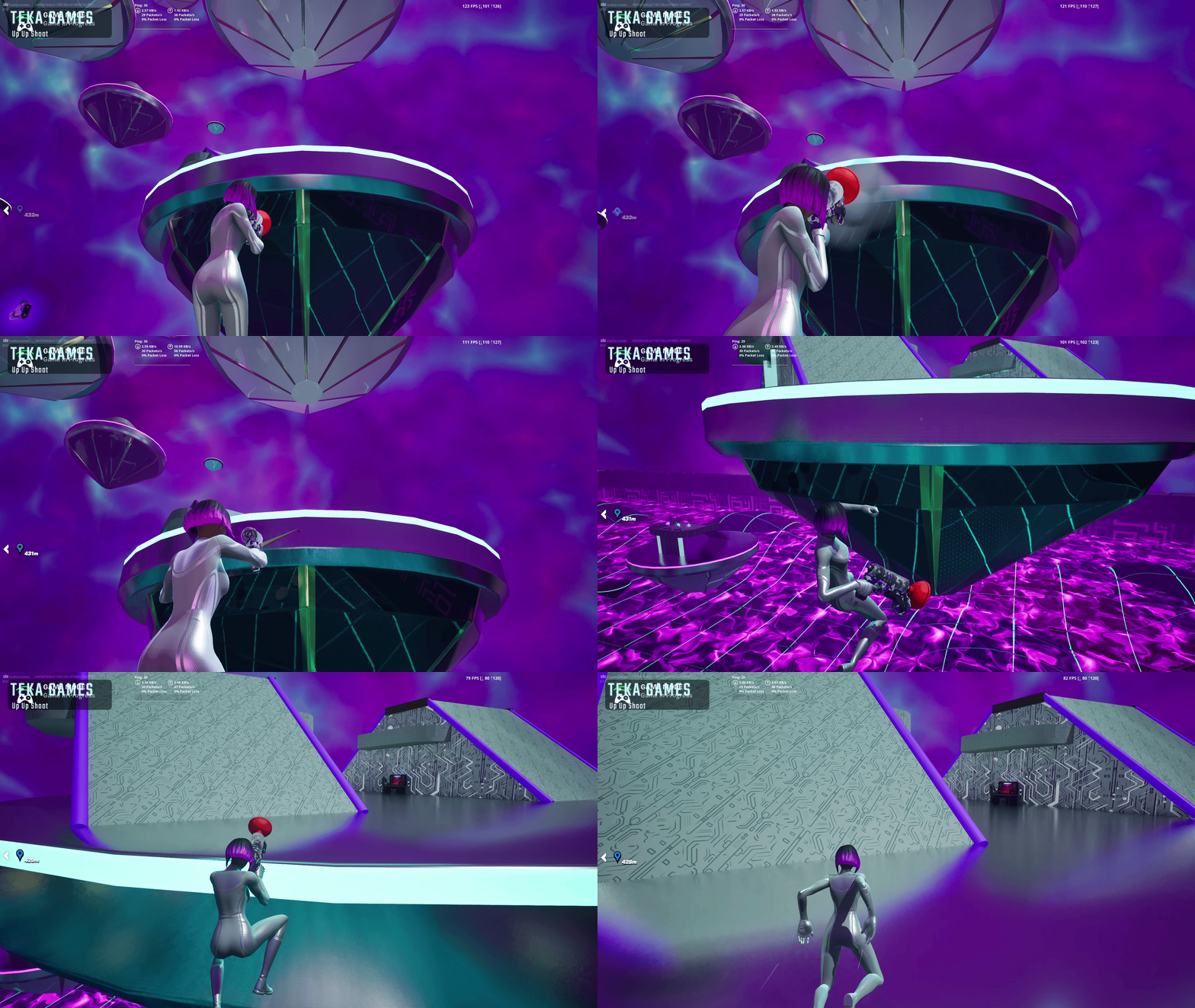
These are other assets I eventually created, also with custom collisions.
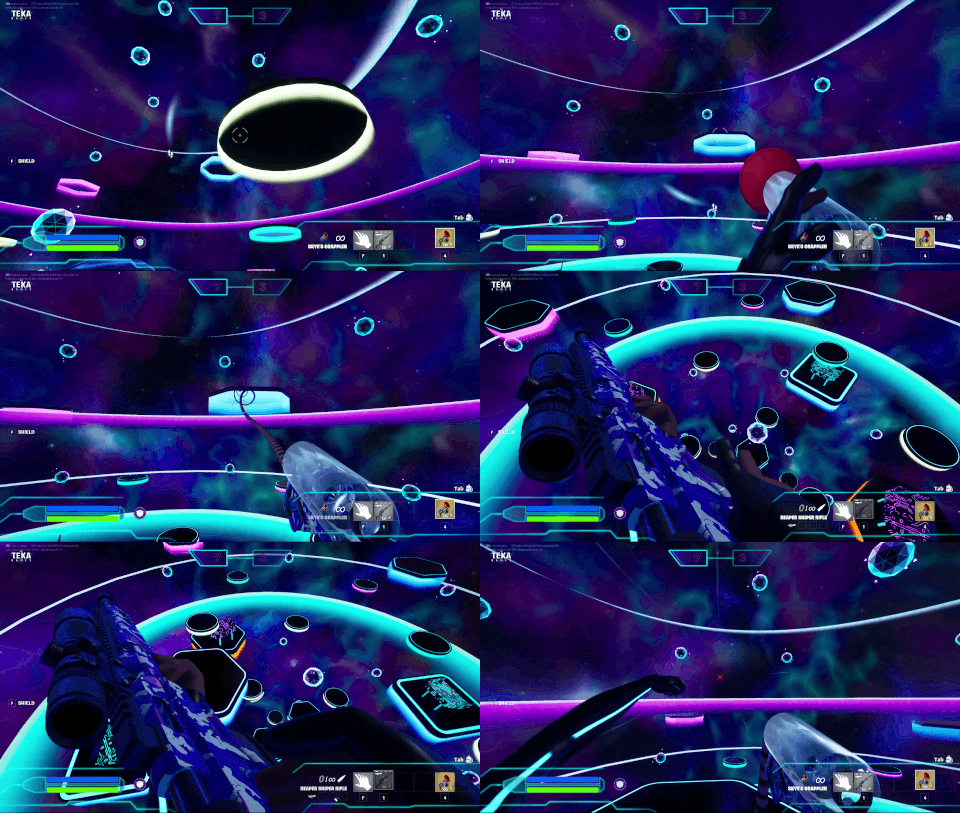
Here’s an example of how the collisions were auto-generating in Unreal Engine.


Options and Challenges
Initially, I attempted to manipulate the auto-generation to get the results I wanted. I tried the K-DOP Simplified Collision Generators. This didn’t work at all. I then tried the Auto Convex Collision and applied a few settings, trying the extremes to see if I could get something decent. The resulting geometry was wasteful and still not accurate enough. I figured there must be a way to custom-design the collisions, so I started researching.
I found in the Unreal Engine documentation directions on how to import a custom convex mesh. I figured this would be the best method to implement in the long run to achieve precise, controlled results.
UE Documentation:
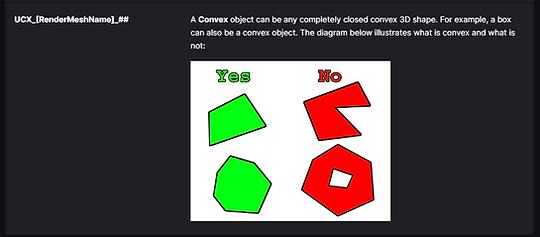
Asset Naming In Blender:

This particular diamond mesh was in two parts, and the top part worked immediately. But the bottom did not. I started by reshaping the tip and letting it extend to a point in the collision. I figured maybe the engine was interpreting that as a non-convex structure, and it worked. Since this extended point would have no negative effect on gameplay, I didn’t spend any more time trying to match the diamond's shape exactly.
Final Solution
This is in Blender. The left is the model and the right is the collision mesh.

How it ended up importing into Unreal:
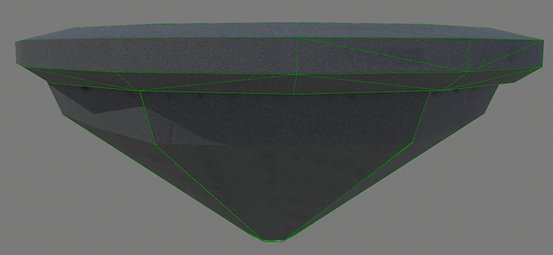
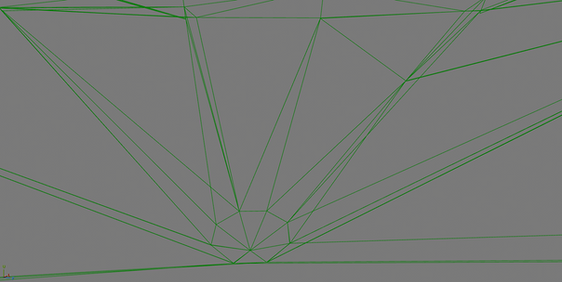
If I were to adjust anything now, I would pre-triangulate the bottom half in Blender. Unreal, added some unnecessary triangles when it triangulated the quads. This is a view from inside the mesh.
Thanks!